Turn an image into a large poster with your own printer
Pick an image or a PDF, enter the final width in centimetres and Mural splits it across numbered A4 or Letter sheets. Print the PDF at 100%, join the sheets and your poster is the size you wanted.
Android comes first. An iPhone version is in preparation.
8 sheets 60 × 42.5 cm
4 columns and 2 rows of A4 sheets, with 10 mm overlap and 5 mm margins. The PDF has 9 pages: the 8 sheets plus the calibration page.
How it works
-
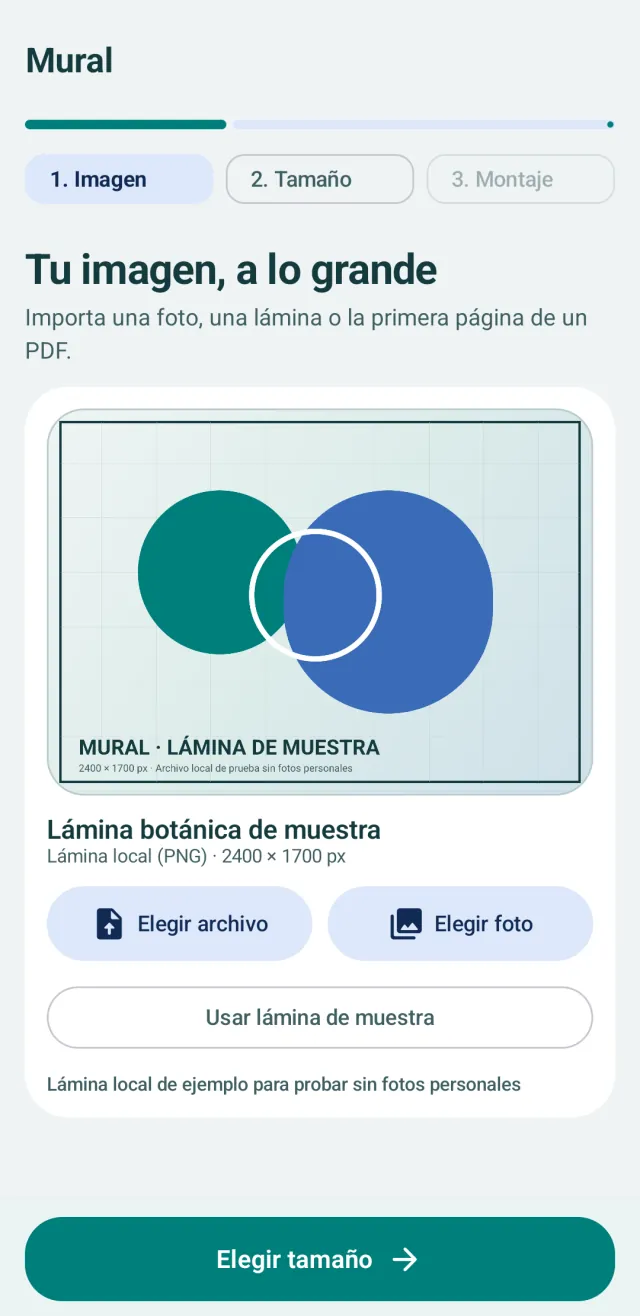
Pick the image
A photo, an image or the first page of a PDF, from the system picker. To try it out, the app includes a sample print.
-
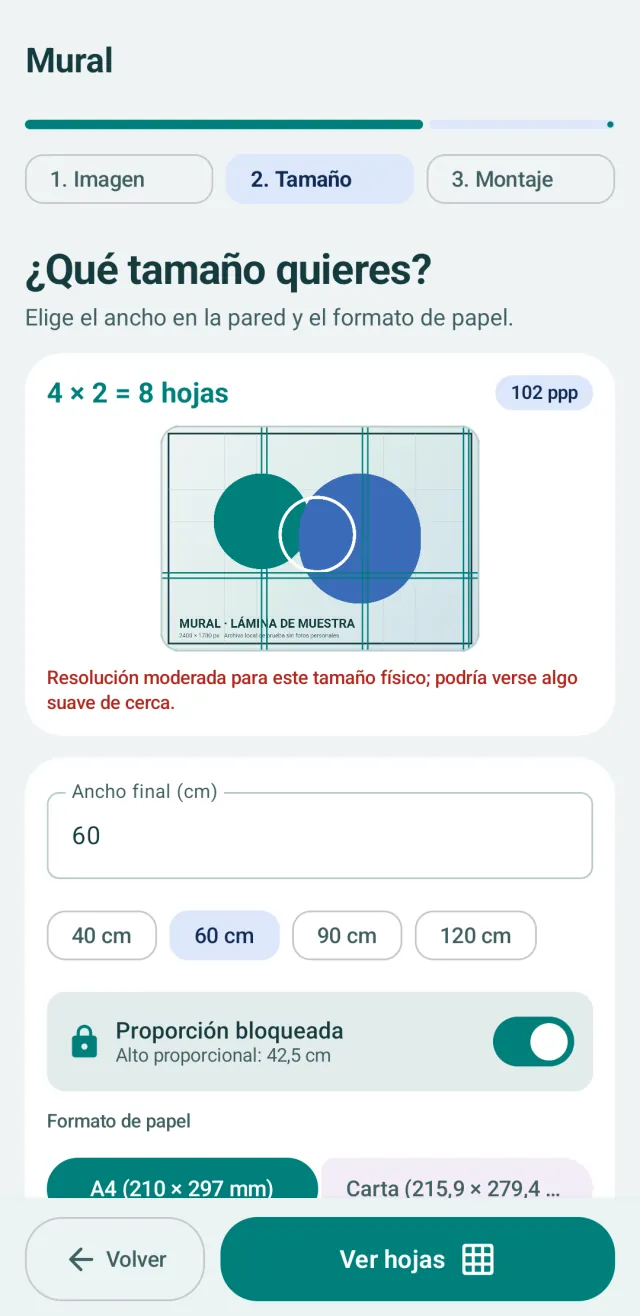
Choose the size
The final width in centimetres (height follows automatically), A4 or Letter paper, margins and overlap. If the image is low resolution for that size, it tells you.
-
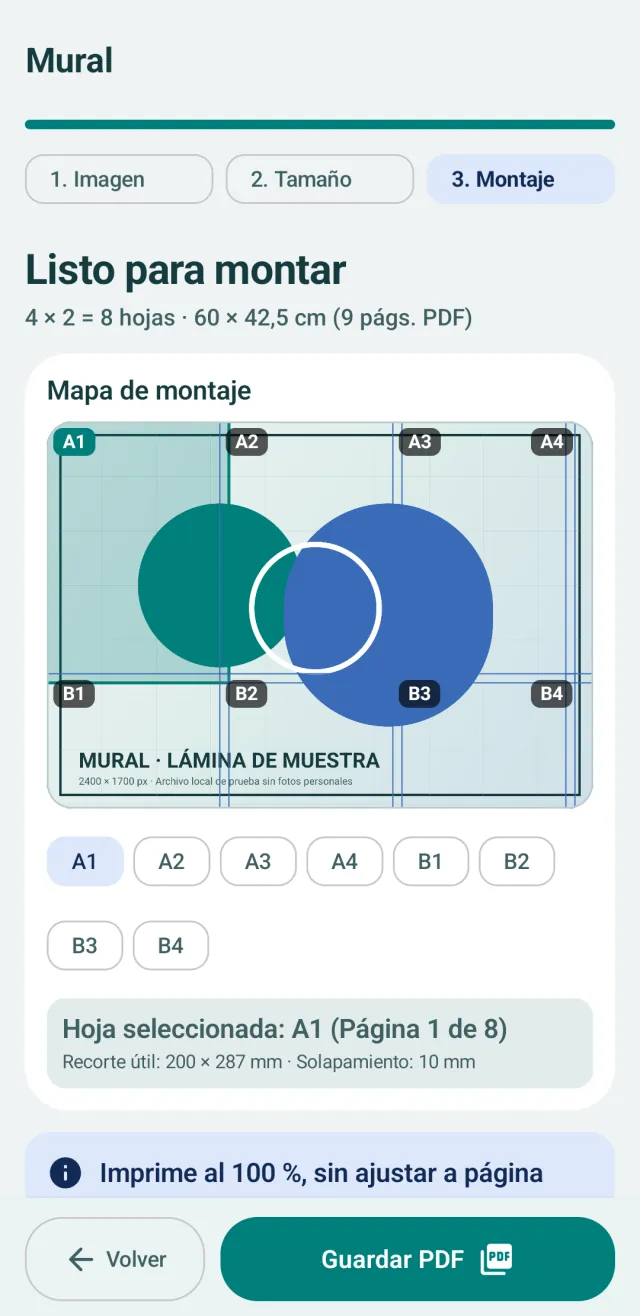
Save the PDF
An assembly map with every sheet numbered (A1, A2, B1…) and a PDF to save or share, with an optional 100 mm calibration page.
Screenshots from the Android app. For now, the app’s interface is in Spanish.
What it does
- Imports an image or the first page of a PDF with the system file or photo picker.
- Works out how many A4 or Letter sheets you need for the width or height you enter, with the aspect ratio locked by default.
- Lets you adjust margins and the overlap between sheets.
- Warns you when the image resolution is borderline or low for the chosen size.
- Shows an assembly map with numbered sheets and exports a PDF to save or share.
- Can add a 100 mm calibration page so you can check the scale before printing everything.
What it doesn’t do
- It doesn’t print directly: it creates the PDF and you print it from whichever app or service you use.
- It doesn’t increase the resolution of the original image. It works with up to 3,000 pixels on the long side: larger images are scaled down on import.
- For multi-page PDFs, it only uses the first page.
- A poster can have up to 100 sheets.
- It can’t guarantee the final size if your printer scales the page: you need to print at 100%, without fit to page.
Your image stays on your phone
Mural 1.0 has no user account and no internet permission, and it includes no analytics or ads. It only opens the file you pick with the system picker, keeps no copy of it, and the PDF only leaves your phone when you save or share it.
Frequently asked questions
How do I print at the correct size?
Enter the width in centimetres, export the PDF and print at 100% without fitting to the page. Check the 100 mm calibration first.
Can I import a multi-page PDF?
Mural uses the first page as the source image. The exported PDF contains the sheets needed to assemble that poster.
Why does it warn me about resolution?
Mural compares the image’s pixels with the poster size. Below 150 ppi it warns that the print may look soft up close, and below 96 ppi that the resolution is very low. The app doesn’t invent pixels: if the warning worries you, make the poster smaller or use a higher-resolution image, up to the 3,000 pixels on the long side that it works with.
Do I need an internet connection or an account?
No. Mural has no internet permission and doesn’t use any account: everything happens on your phone.
Which languages is the app in?
For now, Mural’s interface is in Spanish. This page is available in five languages, but the app hasn’t been translated yet.
When can I download it? What about iPhone?
It will arrive on Google Play for Android first. Once it’s available, the link will appear on this page. The iPhone version is in preparation and doesn’t have a date yet.
Support
If something doesn’t add up or you’ve found a bug, email me at oriol@piqture.cat.