
Fit your pieces into the bars you have, before you cut
Barra works out a cutting plan for timber, tubes and profiles. Enter your pieces and bars in millimetres and it shows where each cut goes, how much offcut is left and what you need to buy. You can share the plan as a PDF.
Android comes first. An iPhone version is in preparation.
3 bars: 2 to buy and 1 from stock. 73.9% material use.
- Long rail, 2000 mm × 3
- Cross rail, 950 mm × 4
- Brace, 420 mm × 2
- Saw cut, 3 mm
- Offcut
How it works
-
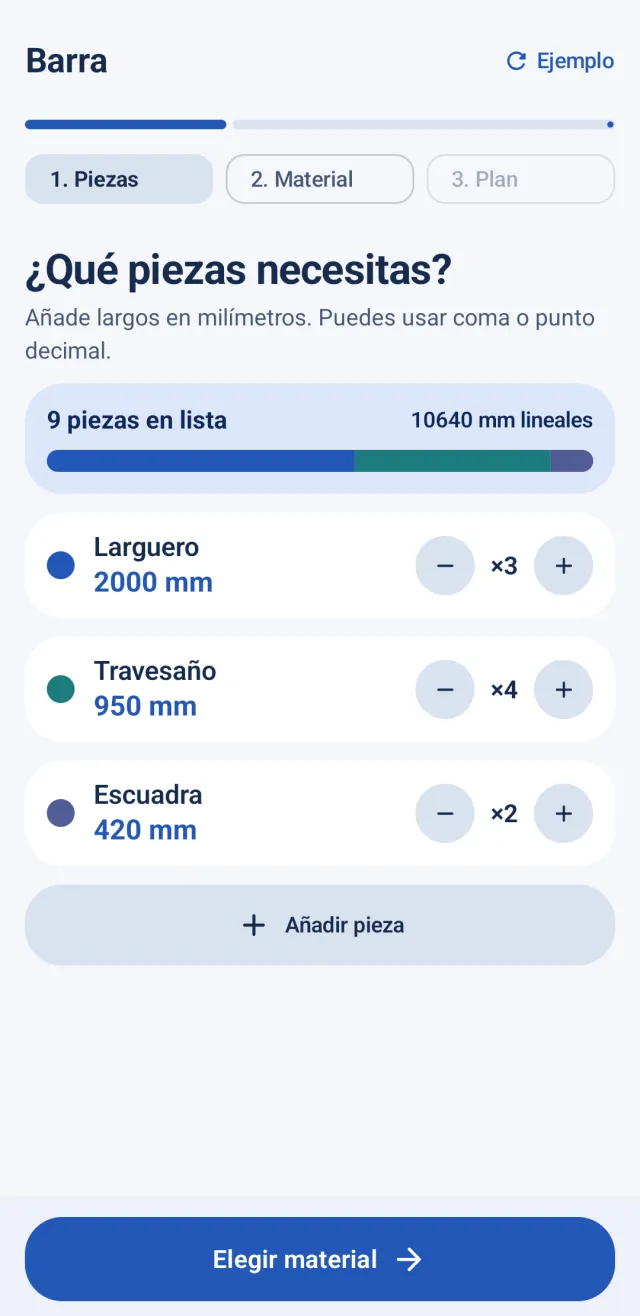
Add your pieces
For each piece, a label, its length in millimetres and how many you need. Decimals work with a comma or a point.
-
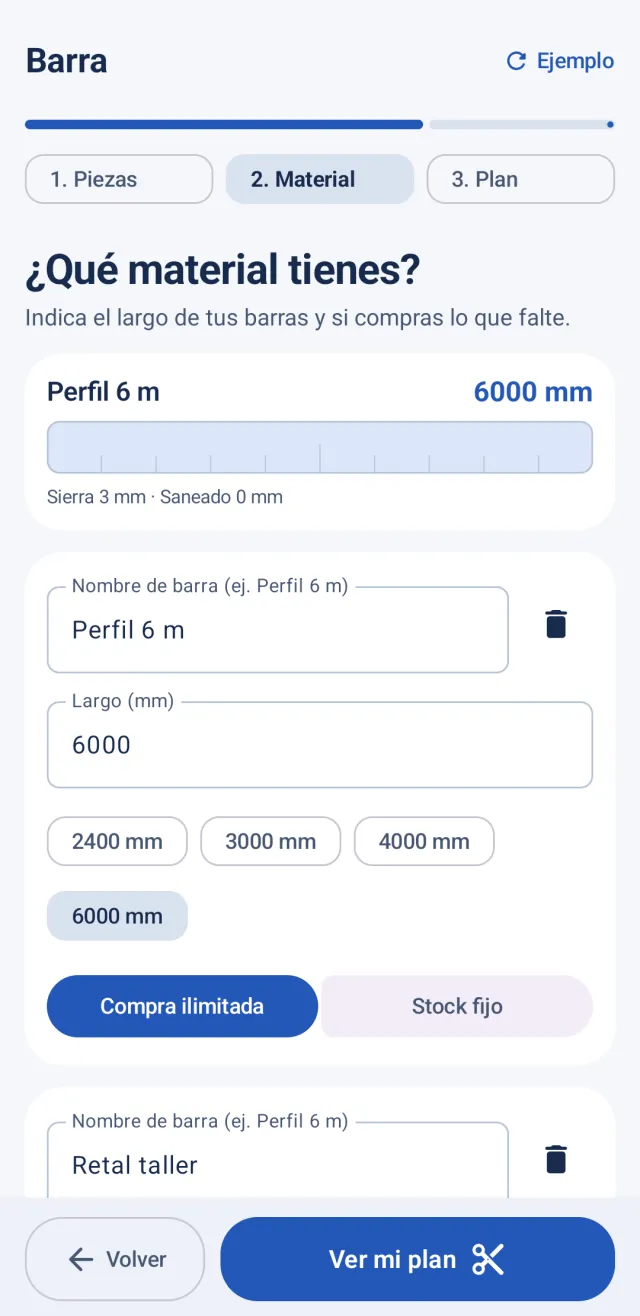
Enter your material
The bars you already have (fixed stock) and the ones you can buy (unlimited), plus saw kerf and initial trim.
-
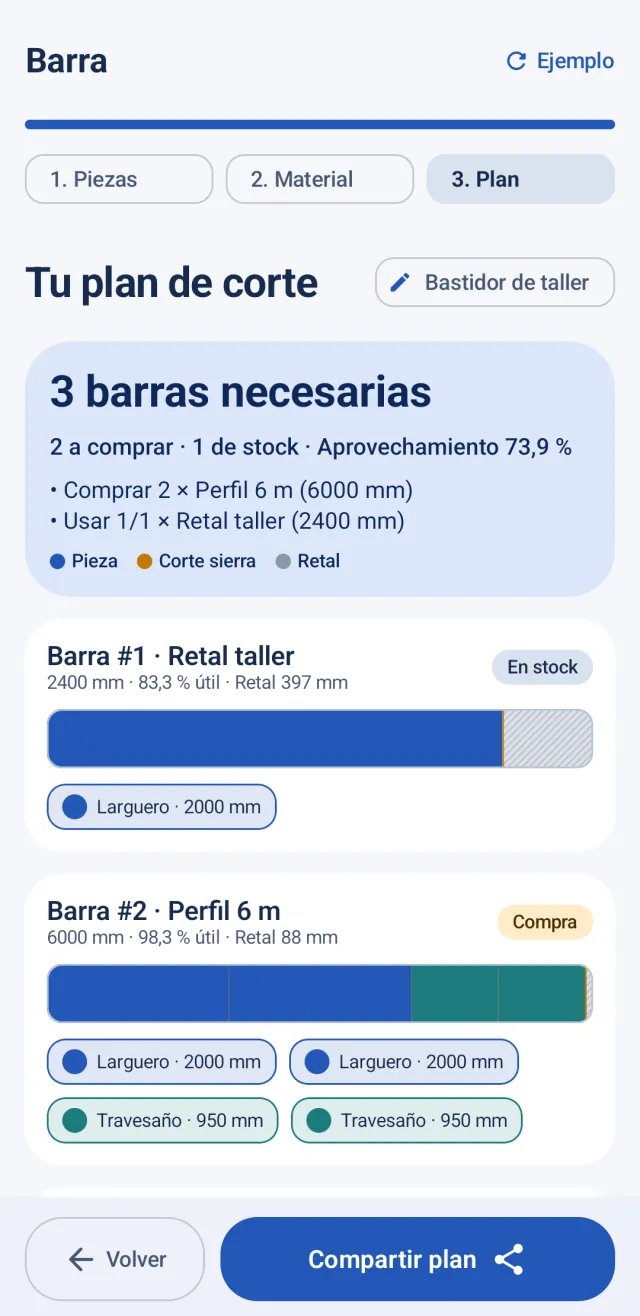
Review the plan
One diagram per bar with the pieces, cuts and offcut. Tick off pieces as you cut them and share the plan as a PDF.
Screenshots from the Android app. For now, the app’s interface is in Spanish.
What it does
- Plans straight cuts for timber, tubes, profiles and bars, in millimetres.
- Combines the bars you have in stock with material you can buy, and tells you how many bars to buy.
- Accounts for saw kerf and the initial trim on each bar.
- Shows the offcut, material use and kerf loss for each bar and in total.
- Lets you tick off the pieces you’ve already cut.
- Saves your latest job on the phone and exports the plan as a PDF.
What it doesn’t do
- It doesn’t guarantee the optimal layout: it uses a heuristic (Best-Fit Decreasing) that is fast and good, but not always the best possible.
- It doesn’t handle sheets or panels: only pieces in one dimension, their length.
- It doesn’t account for angled or mitre cuts.
- It doesn’t do structural calculations or check material strength.
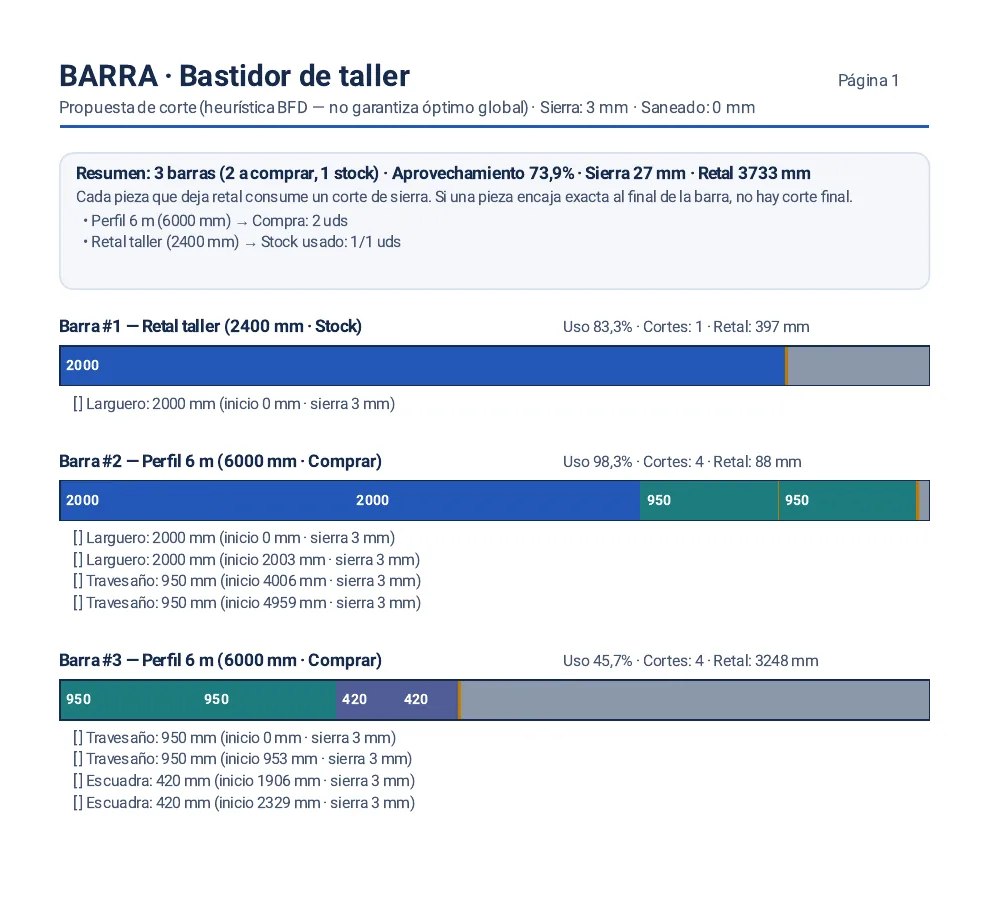
The plan, as a PDF
Every bar with its pieces, where each one starts and the offcut left over, plus a summary at the top of what to buy and what you can reuse. Share it with any app to have it in the workshop.
Your measurements stay on your phone
Barra 1.0 has no user account and no internet permission, and it includes no analytics or ads. Your latest job is saved inside the app, and the PDF only leaves your phone when you share it.
Frequently asked questions
What materials can I plan?
Enter lengths of timber, tubing or profiles to plan straight cuts. The calculator does not assess material strength.
Does it account for saw kerf?
Yes. When material remains after a piece, the plan accounts for the cut. A piece that fits exactly at the end needs no final cut.
Why isn’t the plan always optimal?
Barra sorts the pieces from longest to shortest and places each one in the bar where it leaves the least waste. If it doesn’t fit, it starts a new bar: first from your stock, then from the bars you can buy. This method (Best-Fit Decreasing) is fast and usually works well, but sometimes another combination uses the material better.
Do I need an internet connection or an account?
No. Barra has no internet permission and doesn’t use any account: everything happens on your phone.
Which languages is the app in?
For now, Barra’s interface is in Spanish. This page is available in five languages, but the app hasn’t been translated yet.
When can I download it? What about iPhone?
It will arrive on Google Play for Android first. Once it’s available, the link will appear on this page. The iPhone version is in preparation and doesn’t have a date yet.
Support
If something doesn’t add up or you’ve found a bug, email me at oriol@piqture.cat.